This article contains affiliate links. We may earn a commission if you buy through them.
If you’re comparing an OMTech laser for wood, acrylic, and mixed‑material projects, the fastest way to make a smart choice is to match your materials and project size to the right machine class. Compact CO2 desktop users tend to value a camera, autofocus, and small‑shop placement. Growing shops usually need larger work areas, pass‑through access, and higher CO2 power. And if you need direct metal marking or engraving, a fiber marker is the correct category—CO2 machines don’t cut bare metal.
Below we translate the official specs into practical differences, explain cooling, venting, power and software, and outline warranty and support so your first cuts go as planned.
Which OMTech laser should you buy?
Pick by material and size first. If your projects are primarily wood and acrylic signs, ornaments, inlays, and small product batches, a desktop CO2 with vision features is the simplest path. The OMTech Polar S is a 55W desktop CO2 unit with a 23.6 × 12 in work area, 16MP camera, autofocus, and built‑in closed‑loop cooling. It’s a good fit for makers who want camera‑assisted placement without rearranging the entire shop.
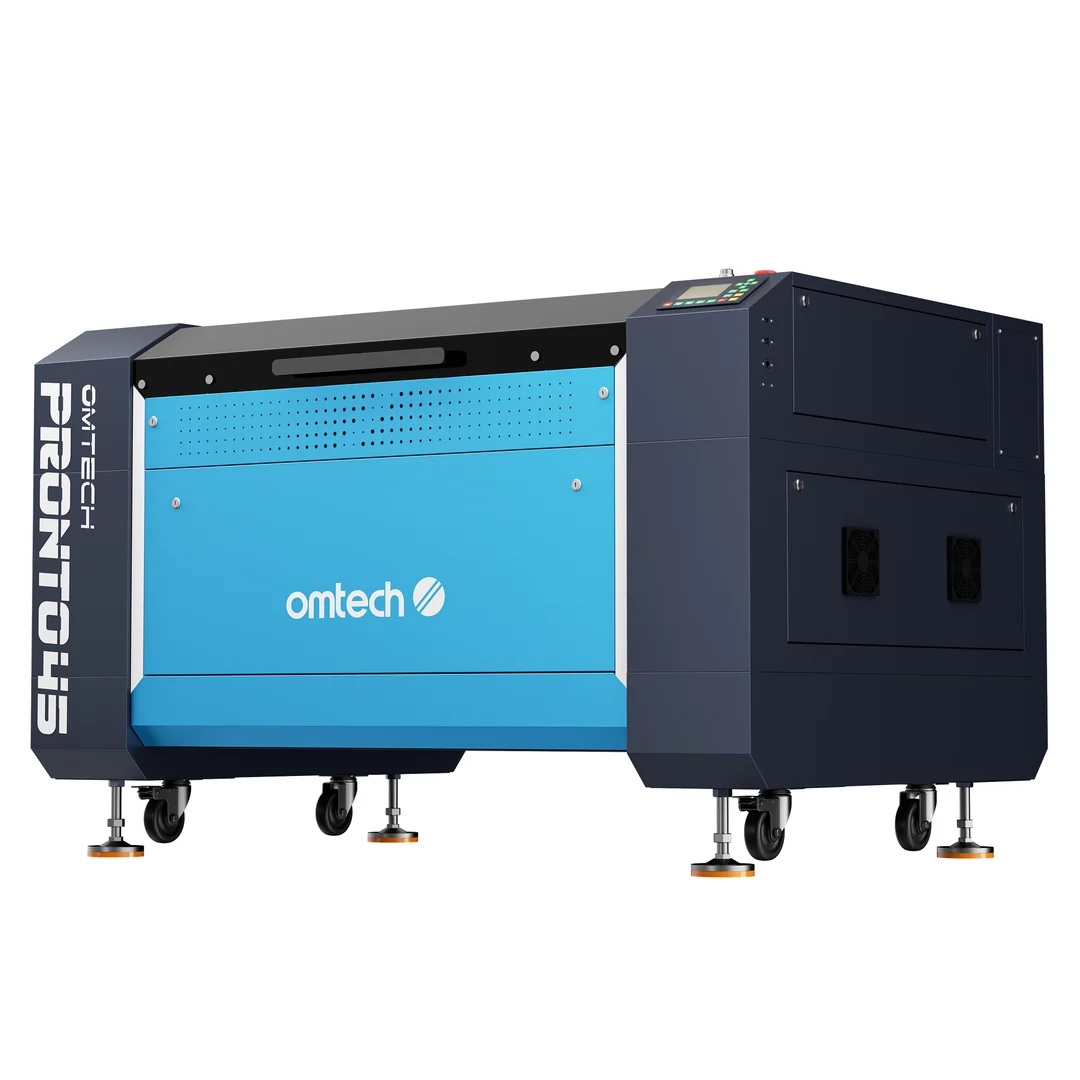
If you’re running sheet goods or need more throughput, move up to the Pronto U1 gantry line. The Pronto U1 family (Pronto 40/45/60/75) scales work area and power—topping out at 63.0 × 39.4 in and 155W—adds front/rear pass‑through openings, and includes a built‑in 5200 chiller for the CO2 tube. That combination supports larger work and more continuous use with fewer external boxes to manage.
CO2 can’t cut bare metal. For stainless tumblers, anodized tags, or coated metals, both CO2 lines can engrave the coating. But if your core need is direct metal marking or engraving on bare metals, step to a fiber marker from OMTech. Keep your CO2 for non‑metals and sheet cutting; use fiber for metal identification, tools, and parts.
Quick rule of thumb: select Polar S when a compact footprint and camera/autofocus matter more than raw bed size; choose Pronto U1 when bed size, pass‑through access, and higher CO2 power drive your workflow; add a fiber marker when metal is central to your jobs.
CO2 or fiber: choose by material and result
CO2 and fiber are built for different results. The Polar S and Pronto U1 are CO2 machines: they engrave and cut a wide range of non‑metals like wood, acrylic, leather, fabric, paper, rubber, and MDF. They can also engrave glass, ceramic, stone, and mark coated or anodized metals. However, CO2 systems do not cut bare metals. That’s why makers who add stainless plates or raw aluminum parts to their catalog usually add a separate fiber marker.
Fiber is for direct metal marking. A fiber marker concentrates on metal: serial numbers, logos on tools, deep marks on steel, and readable IDs on parts. It is not a replacement for a CO2 cutter—fiber excels at marking metals, while CO2 remains the go‑to for cutting sheet acrylic, plywood, and similar non‑metals.
In practice, this means you pick by your dominant material. If you mainly cut acrylic letters and engrave wood boards, a CO2 machine from OMTech is the right starting point. If you must mark bare metal daily, plan for a fiber marker and continue using a CO2 for non‑metal cutting. Mixing both gives you flexibility without forcing compromises or unsafe workarounds.
Power, work area and cooling: how Pronto and Polar differ
Two practical differences separate the Pronto U1 gantry machines from the Polar S desktop: scalable work area with pass‑through access, and a more industrial cooling and airflow setup. Understanding these shifts clarifies placement, electrical planning, and what your daily workflow will feel like.
Work area and pass‑through access
Bed size and pass‑through doors determine whether you can process larger panels or nest more parts in one run. Pronto U1 models range from 35.4 × 23.6 in to 63.0 × 39.4 in work areas, with front and rear pass‑through doors so longer stock can extend beyond the bed. The pass‑through opening is 1.6 in tall; widths increase with each model. Material is advanced manually between sections, so you can tile a sign blank or run strips without an oversized cabinet. The Polar S focuses on compact placement with a 23.6 × 12 in work area and a desktop‑friendly enclosure that still supports front‑to‑back pass‑through for longer pieces. If your largest planned panel exceeds the Polar S bed—or you routinely cut 24 × 36 in acrylic—stepping to a Pronto U1 saves time on re‑indexing and layouts.
Built‑in cooling and airflow
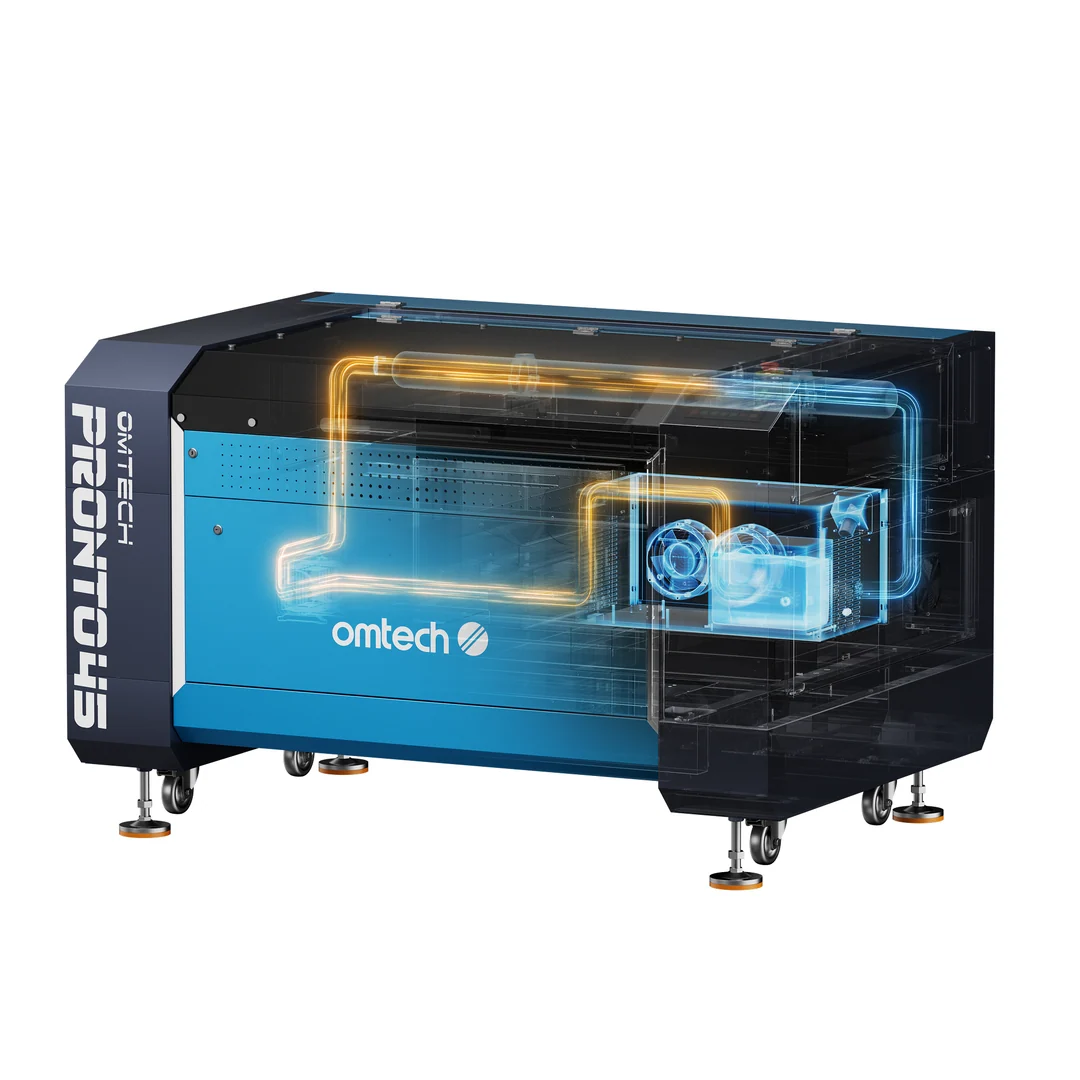
Built‑in chiller reduces setup complexity. Every Pronto U1 includes a built‑in 5200 water chiller and an integrated air‑assist pump. That removes a separate chiller from your floor plan and keeps tube cooling under one cabinet. The Polar S uses a closed‑loop cooling system with a 4.3 L tank—still self‑contained for a desktop—so you don’t chase external plumbing on day one. The practical effect is simpler placement and fewer hoses to manage. On exhaust, Pronto 60/75 models include built‑in fans, while Pronto 40/45 use an external fan. Either way, you still need a clear duct route to move fumes out; dense materials like acrylic benefit from strong airflow. If you’re upgrading from a small desktop, expect the Pronto’s larger cabinet and airflow to prompt a more deliberate vent plan.
Once you understand sizes and airflow, visit OMTech to compare Pronto U1 configurations, check pass‑through widths, and review the integrated chiller details for the model that fits your space.
Electrical and connectivity basics
Pronto U1 machines run on 110–120V/60Hz; for higher‑wattage models, especially the 135W and 155W variants, a dedicated 20A circuit is recommended. Connectivity is flexible: Wi‑Fi, Ethernet, direct USB, and USB drive are supported across the Pronto line. Both Pronto U1 and Polar S work with LightBurn and RDWorks; specific bundles may vary, so confirm what software license is included in the listing. In practice, network and USB options give you choices: send jobs over Wi‑Fi in a classroom, hard‑wire via Ethernet in a production bay, or sneaker‑net a file by USB drive if the shop PC is isolated.
What these machines can cut and engrave
Match material expectations to the machine, and you’ll avoid rework. CO2 lines from OMTech excel at non‑metals and coated metals. When the job calls for bare metal marking or deep engraving, bring in fiber instead of forcing CO2 to do something it isn’t built to do.
Engraving vs. cutting, by material
Actual results depend on material and settings. With Pronto U1, the official guidance covers two buckets. For engraving and cutting: wood, acrylic, leather, fabric, paper, rubber, and MDF. For engraving only: glass, ceramic, stone, and coated or anodized metals. The Polar S follows the same CO2 profile and can also mark certain coated metals, but it isn’t designed to cut bare metal. Thickness, resin content, and color affect settings; thick acrylic or dense MDF may require multiple passes or slower speeds for clean edges. These categories reflect OMTech’s published guidance and assume you’ll tune speed and power to the stock you’re using.
Metal work: when you need fiber
CO2 lasers cannot cut bare metals. If you need readable marks on untreated steel, aluminum, or titanium, choose an OMTech fiber marker and keep your CO2 for woods and plastics. That pairing also avoids experiments with sprays or untested coatings that can produce hazardous fumes. For safety, never process PVC or vinyl—or any material that releases hazardous fumes—and verify composition when in doubt.
From unboxing to first cut: setup that works
Translating specs into a clean first job comes down to cooling, airflow, focus, and connections. The current OMTech lines reduce external hardware, but a few setup choices will still determine cut quality and reliability.
Cooling and water quality
Pronto U1’s built‑in 5200 chiller and the Polar S closed‑loop system minimize external gear. Follow the user manual for the recommended coolant type, change intervals, and operating temperatures. Good coolant care helps keep tube temperature stable during longer runs and reduces thermal trips. Keep hoses unkinked and check quick‑connects for leaks after your first hour‑long session.
Venting and air assist setup
Pronto U1 includes air assist across the line; Pronto 60/75 have built‑in exhaust fans, while 40/45 use an external fan. The Polar S includes air assist and requires an exhaust route as well. Choose rigid ducting where you can, seal joints, and keep runs short with smooth bends to maintain airflow. Acrylic cutting in particular benefits from strong, consistent ventilation to carry away fumes and reduce edge haze. Never process PVC or vinyl—some plastics release hazardous gases when lasered.
Software, camera and connections
Both lines are compatible with LightBurn and RDWorks. The Polar S adds a 16MP camera and autofocus for fast framing and focus without guesswork; Pronto U1 supports Wi‑Fi, Ethernet, direct USB, and USB drive so you can choose how to send jobs. In LightBurn, set your device profile to the correct controller, run a short frame test at low power, and verify your origin and bed size before the first cut. Supervise every job—use the emergency stop if you see flame or unexpected motion. After you’re comfortable with the basics, visit OMTech to confirm software package details for the specific listing you plan to buy.
Warranty, support and service options
Know what the warranty covers. When purchased directly, Pronto U1 carries 2 years on the frame and mechanical hardware, plus 1 year on high‑power CO2 tubes (90–155W) and main power supplies. Polar S falls under OMTech’s limited warranty: 2 years on machine parts and hardware, with 40–60W tubes and power supplies covered for 6 months under the published policy. Consumables like tubes naturally have shorter coverage than the chassis and mechanicals, so plan for eventual replacement in your cost model.
For help beyond documentation, OMTech offers a paid Virtual Technical Support Session for CO2 and fiber machines. That option can compress troubleshooting on connectivity, alignment, or first‑cut setup when time matters.
Buying tips to avoid a misfit
- Plan your largest piece, not today’s average. Pick a work area and pass‑through that fit your biggest foreseeable panel or batch fixture, not just a sample coaster.
- Measure room access. Compare doorway and hallway clearances against the machine’s listed dimensions and weight before ordering.
- Power planning: both lines run on 110–120V; for higher‑wattage Pronto U1 models, budget a dedicated 20A circuit.
- Venting path: decide whether a built‑in or external exhaust fan fits your placement and run length, and plan duct routing and make‑up air.
- Software check: both lines are compatible with LightBurn and RDWorks, but bundled licenses vary by listing. Verify what’s included on the product page you’re considering at OMTech.
- Pass‑through realities: note the opening height (1.6 in on Pronto U1) and width per model; plan for manual repositioning between passes when tiling long workpieces.
Next step: confirm space, venting, and power, then compare the Polar S against the Pronto U1 model that fits your largest planned work. When those checks line up, visit OMTech to review current configurations and choose the package with the connections and software you prefer. If you’re unsure whether LightBurn is included, check the package listing.